One student record
Profiles, families, attendance, reports and learning evidence stay connected instead of scattered across tools.

Tutoring management software for independent tutors
KAIQ helps tutors spend less time planning, marking and assembling parent updates. Connect lesson progress to suggested practice, automatic checking of supported answers and preparation for the next lesson—with tutor review and control.
Fictional Maths demo · no signup or card needed. KAIQ is paid software.
One
workspace for staff, parents and learners
Private
tenant boundaries for every tutoring company
Ready
for imports, billing and assisted workflows
Try the fictional Year 4 fractions journey. Connected Maths practice includes selected topics across Years 1 to 11. Your tutor stays in charge; answer evidence is not a claim of overall mastery. Use learning features alongside your existing billing process.
Try the between-lessons demoThe daily operating layer
KAIQ keeps routine work connected, so staff record information once and the right people see the right result.
Profiles, families, attendance, reports and learning evidence stay connected instead of scattered across tools.
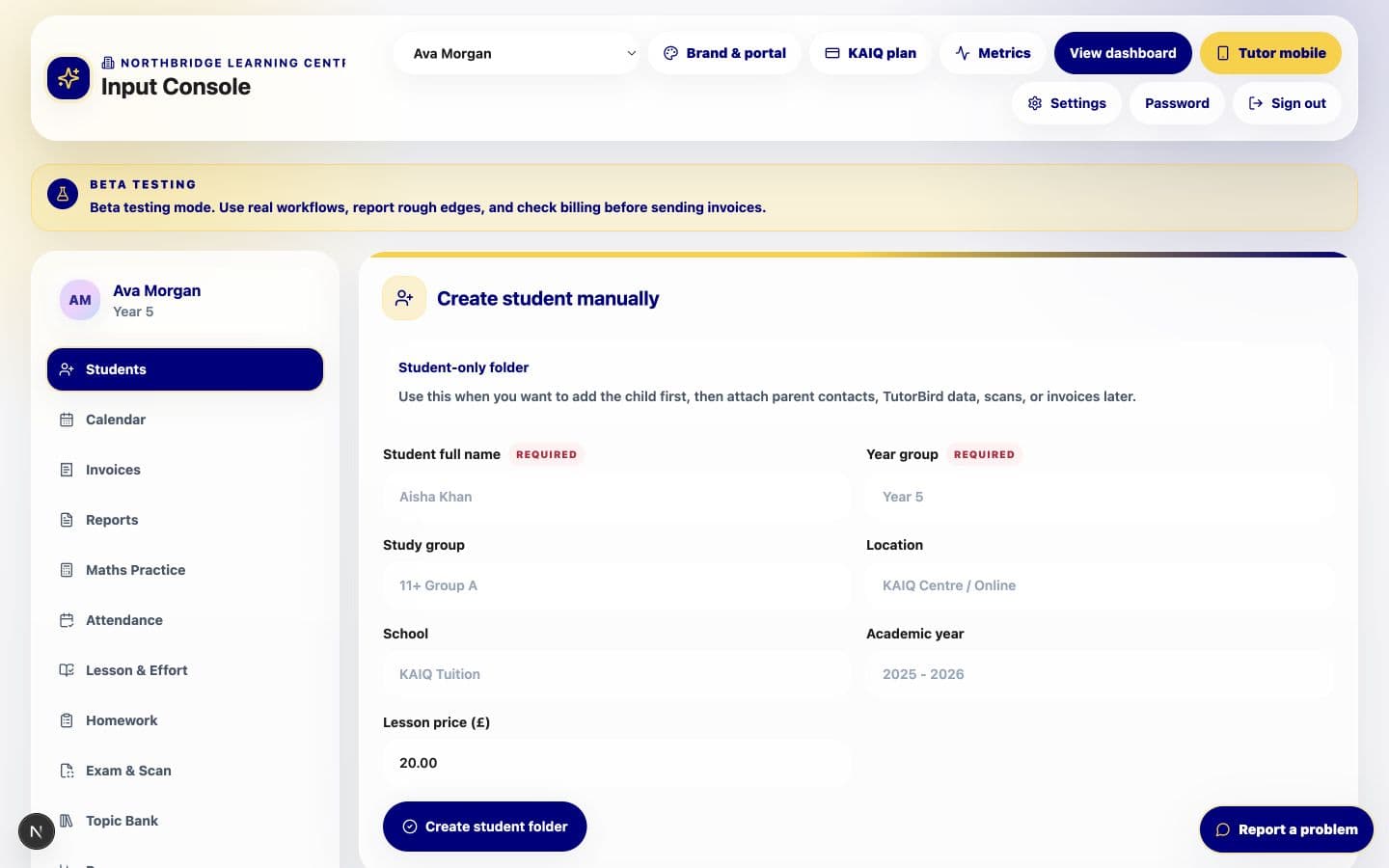
Schedule sessions, mark attendance and record individual lesson notes from the same staff workflow.
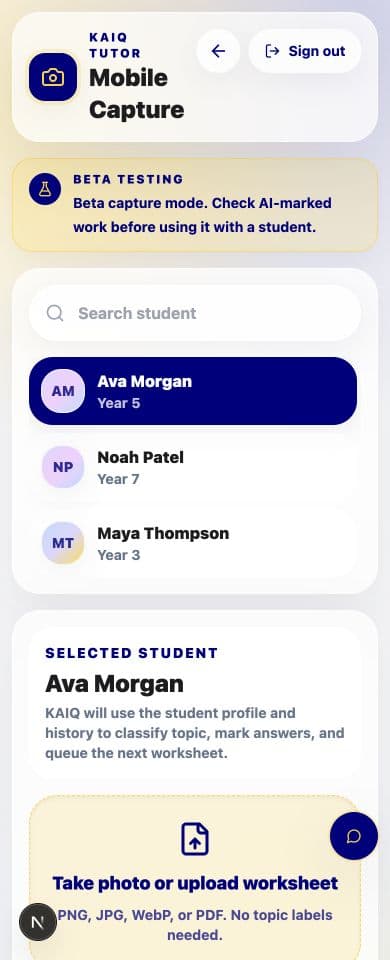
Maths, English, worksheets and scanned work feed a clearer picture of what each learner can do next.
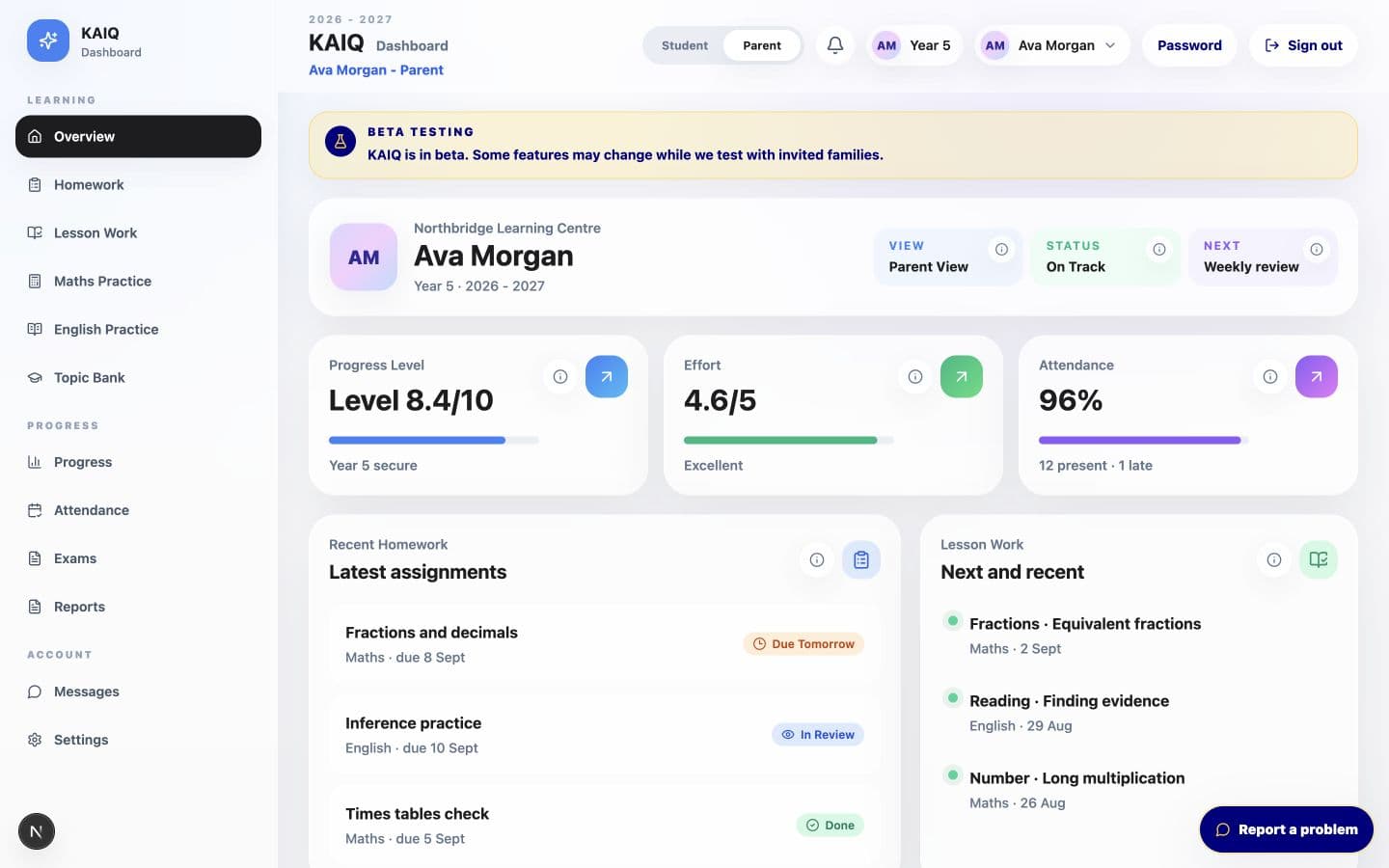
Parents see the children linked to them, with progress explained in language they can actually use.
Inside the platform
A clear family view, a complete staff console and a fast mobile capture flow, shown with fictional demonstration data.
Connect KAIQ carefully
Start with KAIQ as your complete workspace, then connect agents or existing systems without giving either one unrestricted access to your organisation.
MCP path
Connect OpenClaw or another MCP client to a controlled set of KAIQ actions, with every tool limited to the signed-in organisation and its chosen permissions.
/api/mcp
REST API path
Use versioned API endpoints and webhooks to move approved records between KAIQ and your website, forms, finance tools or internal software.
/api/v1/tools
Privacy stays the default.
Connections are designed around explicit scopes, tenant boundaries and a record of every automated action.
Your company, supported by KAIQ
Starter and Growth companies receive their own protected workspace and brand settings. KAIQ remains the infrastructure underneath, not a competing identity in front of your families.
 North Star Education exampleCompare the standard KAIQ login with a bespoke white-label experience.
Your organisation name and colours
A dedicated tenant workspace
Role-based staff and parent access
Your own subdomain and custom-domain path
Imports for existing student data
KAIQ upgrades without rebuilding your system
From signup to first lesson
Choose your organisation details and plan, with white-label settings available when included.
Add staff, import students and connect each parent to the right children.
Schedule lessons, capture evidence and share useful updates from day one.
Simple monthly plans
All plans use isolated tenant workspaces. Upgrade as your team and learner base grow.
Try any plan free for 14 days · card required · cancel before day 15
Solo
£9per month
14-day free trial
For independent tutors with up to 10 learners and one tutor account.
Base
£19per month
14-day free trial
For smaller tutoring teams with up to 40 learners and 3 staff accounts.
Starter
£59per month
14-day free trial
For growing teams with up to 100 learners and 5 staff accounts.
Growth
£149per month
14-day free trial
For established organisations with up to 500 learners and 25 staff accounts.
Ready when you are